

Markdown Syntax
This document covers the basic markdown syntax elements.
bliblub
bliblub
bliblub
Headers
H1 Header
H2 Header
H3 Header
H4 Header
H5 Header
H6 Header
Emphasis
Italic text or italic text
Bold text or bold text
Bold and italic or bold and italic
Strikethrough text
Lists
Unordered Lists
- Item 1
- Item 2
- Nested item 2.1
- Nested item 2.2
- Item 3
Or using dashes:
- Item A
- Item B
- Item C
Ordered Lists
- First item
- Second item
- Third item
- Nested item 3.1
- Nested item 3.2
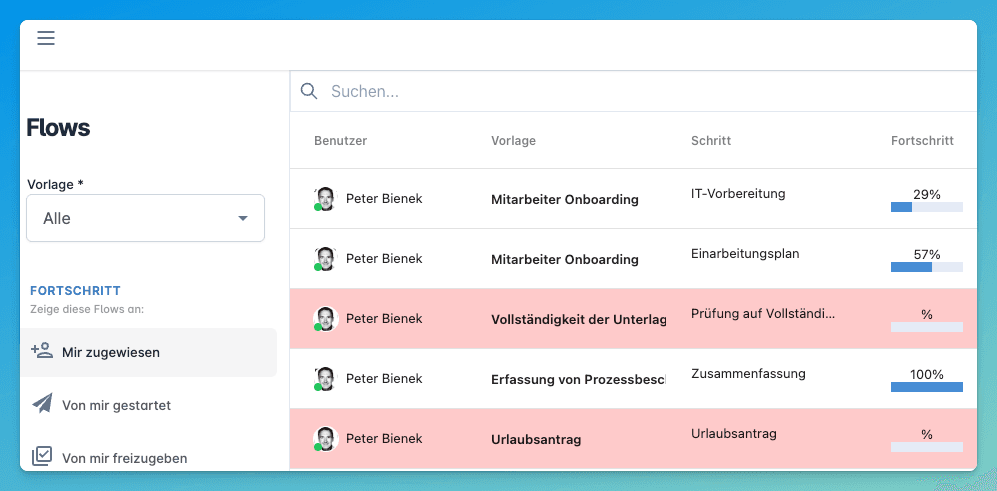
Images
Links
Code
Inline Code
Use inline code within text.
Code Blocks
Basic code block
No syntax highlighting
// JavaScript code block
function greet(name) {
console.log(`Hello, ${name}!`);
}# Python code block
def greet(name):
print(f"Hello, {name}!")Blockquotes
This is a blockquote. It can span multiple lines.
Blockquotes can be nested
Like this
Horizontal Rules
Tables
| Header 1 | Header 2 | Header 3 |
|---|---|---|
| Cell 1 | Cell 2 | Cell 3 |
| Cell 4 | Cell 5 | Cell 6 |
Table Alignment
| Left Aligned | Center Aligned | Right Aligned |
|---|---|---|
| Left | Center | Right |
| Text | Text | Text |
Footnotes
Here's a sentence with a footnote1.
Task Lists
- Completed task
- Uncompleted task
- Another task
Escaping Characters
Use backslash to escape markdown characters:
* Not italic *
# Not a header
Line Breaks
To create a line break, end a line with two or more spaces,
then type return.
Or use an empty line to create a paragraph break.
@2251210 22:00
Neuen Kommentar verfassen
- Klicken Sie auf das Kommentarsymbol
- Geben Sie Ihre Nachricht ein (z.B. Fragen, Hinweise, zusätzliche Informationen)
- Formatieren Sie den Text bei Bedarf (Fett, Listen, Links)
- Fügen Sie bei Bedarf Dateien oder Screenshots hinzu
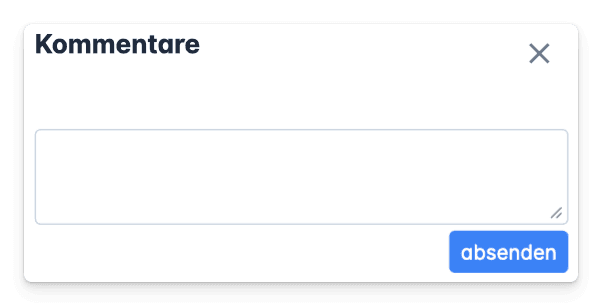
Kommentare werden automatisch mit Ihrem Namen und Zeitstempel versehen.
Wer sieht Kommentare?
Der Kommentar wird der Vorlage angehängt, es sehen können ihn also alle Mitarbeiter sehen, die diesen Flow bearbeiten oder Verwalten.
Footnotes
-
This is the footnote content. ↩